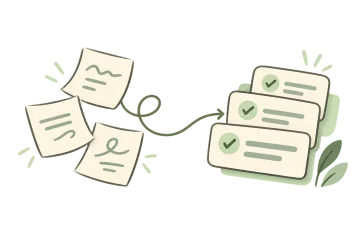
An AI task manager does one job: it turns a sentence you can say out loud into a list you can actually start. Not a summary, not a paragraph of advice — a set of grouped steps with the first one small enough to do in ten minutes.
Most to-do apps give you an empty page and a cursor. That works if you already know your tasks. It fails at the moment almost everyone gets stuck: you know the outcome you want and have no idea what the first move is. NeatDone helps with that moment. Describe the situation, ask for a plan, and review the proposed main tasks and smaller steps before saving anything.
What an AI task manager actually does
Three things make a useful first draft. First, separate the goal from the steps. “Move to Austin next month” is a goal. “Call two moving companies and compare quotes” is a step. Goals feel impossible because they hide their steps.
Second, group related work. Fifteen loose items can still feel like a mess. The same items sorted into preparation, moving day and the first week become easier to inspect. In NeatDone, main tasks can hold smaller branch tasks, so the outcome stays connected to the work that supports it.
Third, consider what blocks what. Before booking a move, establish the date you can leave and the date you can enter the new place. NeatDone puts prerequisite tasks ahead of the work they unlock.
From a vague goal to something you can start today
Consider this planning walkthrough: “Moving to Austin next month with two kids and a remote job.” In this example, what comes back is five groups, in this order. Change one detail in the input and the groups change with it.
1. Before anyone commits to anything
Confirm the remote-work policy in writing. Check enrollment requirements with the school district you are considering. List the documents a rental application requires. These questions can change the budget and schedule before you spend money.
2. Find the place
Shortlist three neighborhoods against your own priorities: housing cost, schools, transport and the space needed to work. Write down questions for viewings rather than assuming every listing tells the whole story.
3. Set the move itself
Ask moving companies for quotes using the same inventory and dates. Decide what you are not taking before you pay to move it. Keep a separate list of items you need during the journey.
4. Handle the children’s logistics
Request school records, check the actual processing time and plan for any childcare gap. Treat uncertain dates as questions to resolve, rather than making the entire move depend on an unconfirmed assumption.
5. First two weeks in Austin
Identify the accounts and services that need an address update. Check deadlines directly with the relevant organizations. Choose one small arrival task, such as finding the nearest grocery store, so the plan includes settling in as well as leaving.
Turn a broad goal into smaller actions, then review the draft before saving it.
How an AI task manager differs from project management software
Many project management tools are organized around boards, owners and timelines. They are useful when people already know the work and need to coordinate it. You still have to decide what belongs on the board.
An AI task manager is useful earlier: one person, a real outcome and no clear plan yet. It starts with your description and proposes the work. The difference is the starting point, rather than a rule about how many people may use either kind of software.
If your problem is personal planning, start with a task manager that keeps the main outcome visible. Add coordination tools when coordination becomes the work.
Use the daily planner online when your next step is arranging today’s commitments.
Three ways to describe a goal more clearly
“Finish chapter three of my thesis by the end of the month.” Add the current draft length, the argument that is missing and the days you can work. Review suggestions for separate reading, drafting and editing steps. A task such as “rewrite the evidence for claim two” is easier to start than “work on thesis.”
“Five days in Japan, first time, don’t want to waste it.” Add arrival times, a rough budget and any fixed reservations. Ask for tasks to prepare the trip, or an itinerary, and make that distinction explicit. Check opening hours and booking requirements with the providers before committing.
“My apartment has become a storage unit.” Name one room, the time available and what you want to use the space for. A first step might be clearing one surface, followed by sorting a single shelf. Give the decide-later box a review date so it does not become permanent furniture.
Where the AI draft ends and you take over
The output is a first draft of the structure. Edit the sequence, timing and scope directly in the result above.
Review the suggestions before saving them. NeatDone’s task composer lets you choose proposed main tasks and adjust their schedule. Once created, edit task details, update the next step and manage the smaller tasks as the situation changes.
If the output is too broad, add the constraint it missed. “I only have Saturday morning” changes a decluttering plan. “The draft already exists” changes a writing plan. A more specific input is usually more useful than asking for a longer answer.
Is an AI task manager the same as project management software?
It helps propose the work before you track it. A project board is useful for coordinating known tasks; NeatDone helps turn a personal goal into main tasks and smaller steps you can review.
Is this AI task manager free?
Yes. You can try guest AI planning without an account, subject to its daily allowance and service-protection limits. A free account includes three successful manual AI generations per UTC day. Pro has higher allowances; check the current pricing page for details.
Can it replace my to-do app?
You can review and save the proposed tasks directly in NeatDone, alongside tasks you enter yourself. Start with the part that is missing: turning an outcome into concrete next actions.
What kinds of goals work best?
Describe a move, paper, trip, job search, room to clear or busy day. Include the deadline, what is already done and any constraints that would change the steps.
Can I edit what comes back?
Yes. Review suggested tasks and steps directly on this page. You can edit titles, remove suggestions and adjust suggested times before confirming what to add.
What if the steps do not fit my situation?
Add the missing constraint and generate another draft. A date, limited budget, existing work or unavailable resource can change the plan substantially. Keep the useful steps and remove the rest.
What NeatDone does, and what stays with you
It does — turn one sentence into grouped, ordered main tasks and smaller steps, with editable suggested times.
Estimates — add how long your work takes and your available hours; review the suggested schedule against them.
Your calendar — you decide what moves; NeatDone keeps the rest visible and does not change external calendars.
Limits — guest planning has a daily allowance; a free account includes three successful manual AI generations per UTC day.
Data — guest text and your time zone go to the planning service. Avoid names, addresses and other sensitive details. Signed-in AI may use relevant account context. See the Privacy Policy.